Google Product Posts: Promote Weekend Specials Early
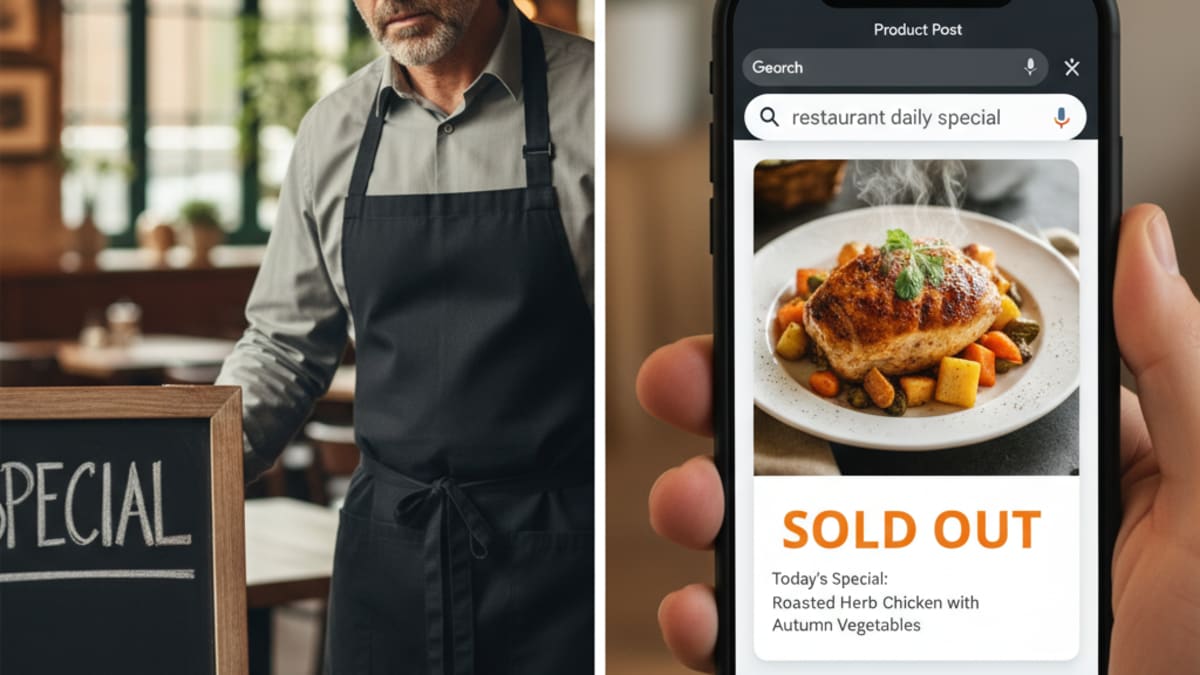
Short answer: Google's help page for posts lists three types: updates, offers and events. A separate "product post" is not among them. For a restaurant, the working version is a menu item added in the menu editor plus an Offer or Update post, both set up by Wednesday for the weekend. Shops that sell physical goods use the product editor instead.
A weekend special that is announced on Friday afternoon reaches the people who already follow you. The diner who plans ahead, books a table for a group or searches "steak dinner near me" on Thursday sees your Google profile. If the profile still shows last month's menu, that person may book somewhere that looks current.
What replaced the product post
Google's page on creating and managing posts describes updates, offers and events. Products have their own tools:
- Menu editor, for restaurants. Google's page on the menu editor says food and drink businesses can list menu items with descriptions and prices, grouped into sections such as appetizers, desserts and main courses. Customers see them under "Menu" on your profile.
- Product editor, for shops. Google's page on the product editor is for local stores that sell physical goods and meet criteria such as having no barcodes or no online store. It points dining businesses to the menu editor instead. Products must follow Google's shopping ads policy, and a violation can lead to every product you uploaded being removed.
A restaurant does not create a "product post" for the Wagyu steak. It adds the steak to the menu and announces it with a post.
A midweek schedule for a weekend special
- Monday or Tuesday. Decide the special and photograph it. Use a real plate, evenly lit. Google's photo guidance for food and drink suggests at least three photos of popular items, JPG or PNG, between 10 KB and 5 MB, with images that represent reality.
- Tuesday or Wednesday. Open Edit menu, add the item with its name, description and price, and save. Google says changes can take 24 to 48 hours to display, so this step comes first.
- Wednesday. Write the post. If the special has a price or a time limit, use an Offer, which needs a title, dates and a time. If it is an announcement, use an Update. Add a button that takes the customer to a page where they can book or order, as Google says the button should.
- Wednesday. Turn on Schedule this post and set it to publish on Thursday morning, when people plan the weekend.
- Thursday. If it is a night with a start time, such as a set-menu dinner, add an Event post with real start and end times.
- Friday morning. Check that the posts show as Live and that hours are right. Brief the staff on the special.
- Monday. Look at the performance report for the weekend.
Write the post for the customer
Name the dish as it appears on the menu, because a customer who searches for it should match the same words. Say what it is, when it is available and how to book. Leave out "best" and "amazing", which tell a reader nothing. If a customer has to scroll through four lines of hashtags to find the day and time, the post has failed.
Check the alcohol rule. If the weekend special is a cocktail promotion, note that Google says businesses in regulated industries can use posts but should not include content about the regulated products, and lists alcohol among the industries it usually means. The text of a food post can still mention the restaurant as a whole.
Why Google and not only social media
Social posts and a Google profile do different jobs. A follower sees your Instagram. Someone who has never heard of you and searches for a dish near them sees your profile. Both are worth keeping current, and the profile is where a search turns into a booking. Our piece on the invisible menu problem explains why dishes that exist only in a PDF or a story are hard for a new customer to find.
Measure the weekend
Google's performance report counts website clicks, call-button clicks and direction requests, and counts bookings only when a third-party booking provider records them. Compare the weekend you promoted with the same weekend a month earlier. One weekend proves little. After four or five, a pattern is usually visible, and you will know which dishes and which wording drew attention.
For the posting basics, read how often to post on your Google Business Profile, and for slower parts of the day see Google posts for restaurants in slow hours. The glossary entry on Google posts is the short version, and how customers find a business shows where posts sit among the ways people reach you. To have someone set up your weekly routine, contact LocalEnhance.
Built by LocalEnhance, early access
We also built Lifto Deliverfor restaurants & cafes businesses
Frequently Asked Questions
Does Google Business Profile still have product posts?
Google's current help page for posts lists three types: updates, offers and events. Products are added separately. Shops that sell physical goods use the product editor, and restaurants use the menu editor.
How long does a new menu item take to show on Google?
Google says it can take 24 to 48 hours for menu changes to display on Google Maps and Search, so add the item early in the week.
Can I post about cocktails or other alcohol on Google?
Google says businesses in regulated industries can use posts but should not include content about the regulated products. It says these industries usually include alcohol. Read the posts content policy before you write the post.
See where your business ranks today
The free audit checks your Google Business Profile, your Maps rank, your website and what ChatGPT says about you. Under a minute to fill in, and the scored report is emailed in about ten minutes.