Selling Salon Products on Your Google Business Profile
What should a hair salon put on its Google Business Profile?
A hair salon's Google Business Profile needs an accurate name, the right primary category, current hours, a list of services, real photos of the shop and the work, a booking link, and a steady flow of reviews that you answer. If you also sell shampoos, oils and styling products in the salon, Google has a separate product editor for retail stores. Whether it appears on your profile depends on your business type and country, so check for an Edit products button before you plan around it.
A common picture: the name is right and the phone number works, but the services list is empty, the photos are three years old and nobody has answered a review since the owner got busy. The retail shelf, which sits next to the reception desk, is missing from the profile entirely.
The basics Google reads first
Google says local results are based mainly on relevance, distance and prominence. Relevance is how well your profile matches the search. Distance is how far you are from the person searching. Prominence is how well known you are, based on reviews and on links from other websites. You can read the wording on Google's page on improving your local ranking. The same page says there is no way to request or pay for a better local ranking.
You cannot change where your salon is, so the work is on the other two. Our guide to how Google Maps ranking works goes through each factor in more detail. For a salon the checklist is short:
- Name: use the name on your signage. Google's guidelines say extra information such as taglines, services or location details does not belong in the name. Adding “Best Hair Color Makati” to the business name is not permitted and can lead to a suspension (see the glossary entry).
- Primary category: Google advises choosing the fewest categories that describe your core business. A salon that is mainly a hair salon should say so, then add only categories it truly operates as. See primary category.
- Hours: your regular customer-facing hours, kept current for holidays.
- Services: cut, color, balayage, keratin, rebonding, treatments. Each one is a chance to match a search.
- Booking link: Google lets you connect a booking provider so customers can reserve from the profile. Google's booking help page explains the setup and says providers appear on the profile within a week.
Photos that show the work
Google's photo guidelines ask for sharp, well lit images without heavy filters, so they show the business as it is. Photos are reviewed before they go live, and Google says new ones can take 24 to 48 hours to appear. For a salon, that means before and after shots of real clients (with permission), the reception area, the retail shelf and the stylists. A photo of a bottle on the shelf, taken in your own salon, does more for trust than a manufacturer image.
Selling products from your profile
Picture a familiar scene. A client hears from the stylist why a sulfate-free conditioner suits her hair, nods, and then checks Shopee or Lazada before she reaches the till. You cannot stop that behavior. You can make it easy for the client to see that you stock the product and can hand it over today.
What Google actually offers
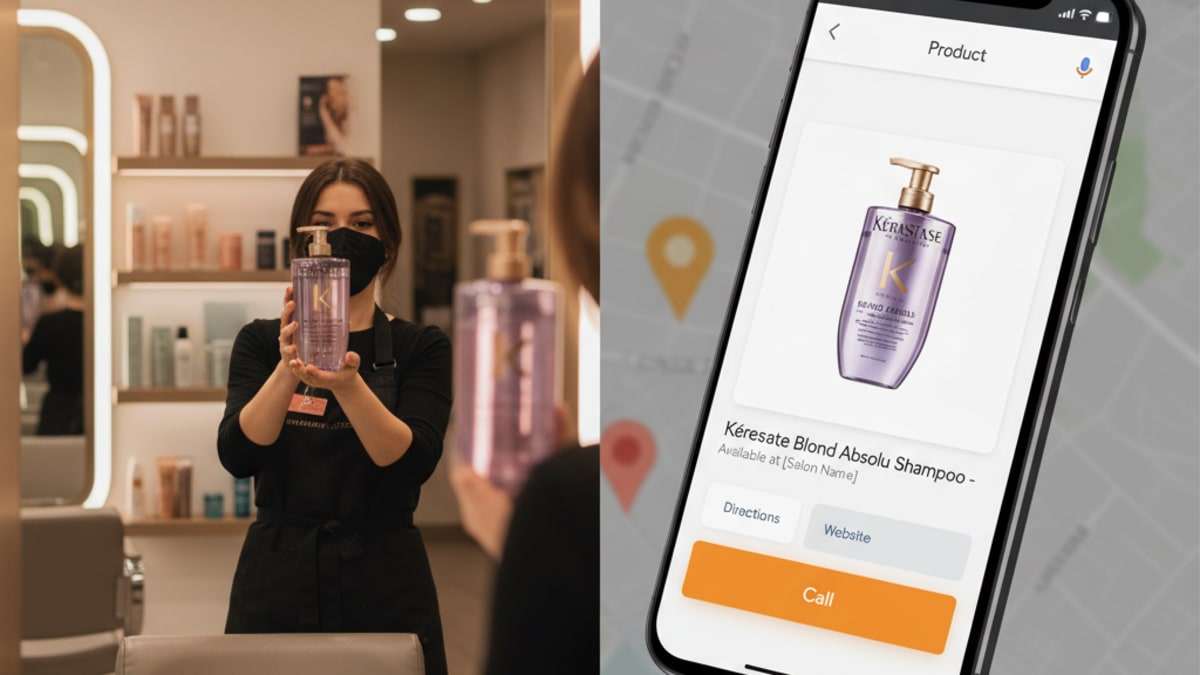
Google's product editor is built for local stores that sell physical goods. The steps are to open your profile, choose Edit products, complete the form and publish. Google's local ranking page adds a limit: showing in-store products is available only for retail businesses in eligible countries or regions.
For a salon, that has two consequences. First, the Edit products button may not appear on a profile whose category is hair salon. Second, if it does appear, the products must follow Google's shopping ads policy, and Google warns that breaking the policy can lead to removal of every product you uploaded. Look at your own dashboard before you spend an afternoon photographing the shelf.
If the button is not there
You still have ways to show stock without it:
- Upload photos of the brands you carry, taken on your own shelf, and name the brand in the photo caption on your website.
- Publish a retail page on your website listing each product line, what it is for, and that it is available in the salon. Link it from your profile's website field or from a Google post (see Google posts).
- Mention the product lines in your services list where they belong, for example a keratin treatment with the aftercare range you sell.
Write descriptions that link the product to the problem it solves, such as color protection for humid weather, and keep the price current. A price that is wrong on your profile costs you more goodwill than leaving it off.
Local anchoring: why the neighborhood matters
A client in Bonifacio Global City who searches for a product brand near High Street is looking for something close. A boutique salon in Serendra that shows the product on its profile gives that searcher a reason to walk in rather than wait for delivery. The same logic applies around Salcedo Village in Makati, where many clients live within walking distance of a salon. The point is not that listing a bottle guarantees a win. It is that a profile with specific, current information gives Google and the client something to match. Our pages on local SEO in Manila and local SEO across the Philippines cover how to write for each area.
Reviews finish the job
Google says more reviews and positive ratings can help your local ranking. Ask in person after the appointment, or send the review link by message. Google's review guidance allows asking customers to use a link or QR code and forbids offering free or discounted goods or services in exchange for a review. So a discount on the next shampoo for a five-star review breaks the rules. Reply to each review with something specific, and keep replies conversational rather than promotional. Read how reviews affect ranking for the longer version.
A simple monthly routine
- Check hours and the services list against what the salon actually offers today.
- Add four to six new photos from the floor, including the retail shelf when stock changes.
- Reply to every review from the last month.
- Post one update about a new product line or a seasonal treatment.
- Search for your own services from a phone outside the salon and note where you appear.
It is short work once the profile is set up, and it keeps the shelf, the chair and the profile telling the same story. If you also want to see how customers find a salon before they ever type its name, read how customers find a business.
Want to know where your profile stands today? We can check it for you.
Check My Salon ProfileSee where your business ranks today
The free audit checks your Google Business Profile, your Maps rank, your website and what ChatGPT says about you. Under a minute to fill in, and the scored report is emailed in about ten minutes.